Frank Aerror
aerror@hub.volse.no
Hubzilla.de
Anmelden
Registrieren
Hubzilla.de
Anmelden
Registrieren
Channel Apps
Kanal
Über
Fotos
Dateien
Kalender
Webseiten
Wikis
System Apps
Fehler melden
Hilfe
QRator
Sprache
Suche
Verzeichnis
Zufälliger Kanal
2019-03-14 18:11:36
Profil ansehen
Frank Aerror
aerror@hub.volse.no
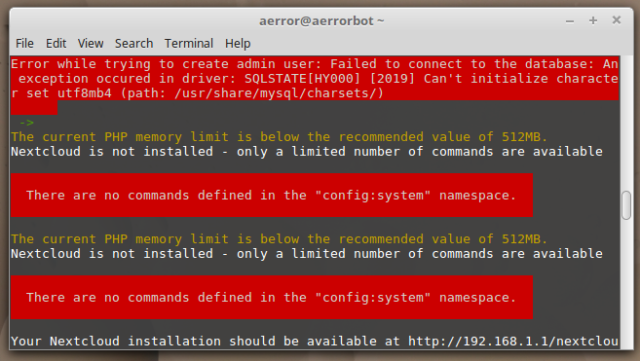
Having a hard time setting up #
nextcloud
on my #
turrisomnia
. It is not as easy as the tutorial at @
infosec-handbook.eu
makes it seem :-/
#
Help
?!
nextcloud
turrisomnia
Link zur Quelle
-
-
-
2019-03-17 20:56:21
Profil ansehen
poVoq
https://social.freegamedev.net/channel/povoq
https://traefik.io/
Highly recommended for running Docker services.
Link zur Quelle
2019-03-17 21:47:15
Profil ansehen
Harald Eilertsen
harald@hub.volse.no
@
Frank Aerror
Um, yes, your server needs to have an IP address that's reachable from the public internet. (Or at least from where you will be accessing the server.) If the server is reachable, it should not be more than a configuration issue to pass it on to a port in the container. You may want a frontend web server (nginx or even Apache) to route the domain name from the host server to the container. Unless that will be the only service you run on the server, in which case you can just route port 80 and 443 to the container and let it handle everything.
It's a bit difficult to give specific recommendations when I don't know your setup :)
Link zur Quelle
2019-03-18 13:16:02
Profil ansehen
Frank Aerror
aerror@hub.volse.no
@
poVoq
Thanx. Right now I am running a linux container (lxc) since they are officially supported by Turris but if I don't get it to work I'll have a look into traefik for sure.
@
Harald Eilertsen
Yeah I know, diagnostics from distance are impossible. I try to research as much as I can find to understand what's going on but since I've never done this before, it is hard to even explain what the problem is. Anyway I highly appreciate your will to help.
Link zur Quelle
Konversationsmerkmale
Lädt...
Lädt...
Konversationsmerkmale
Lädt...
Lädt...